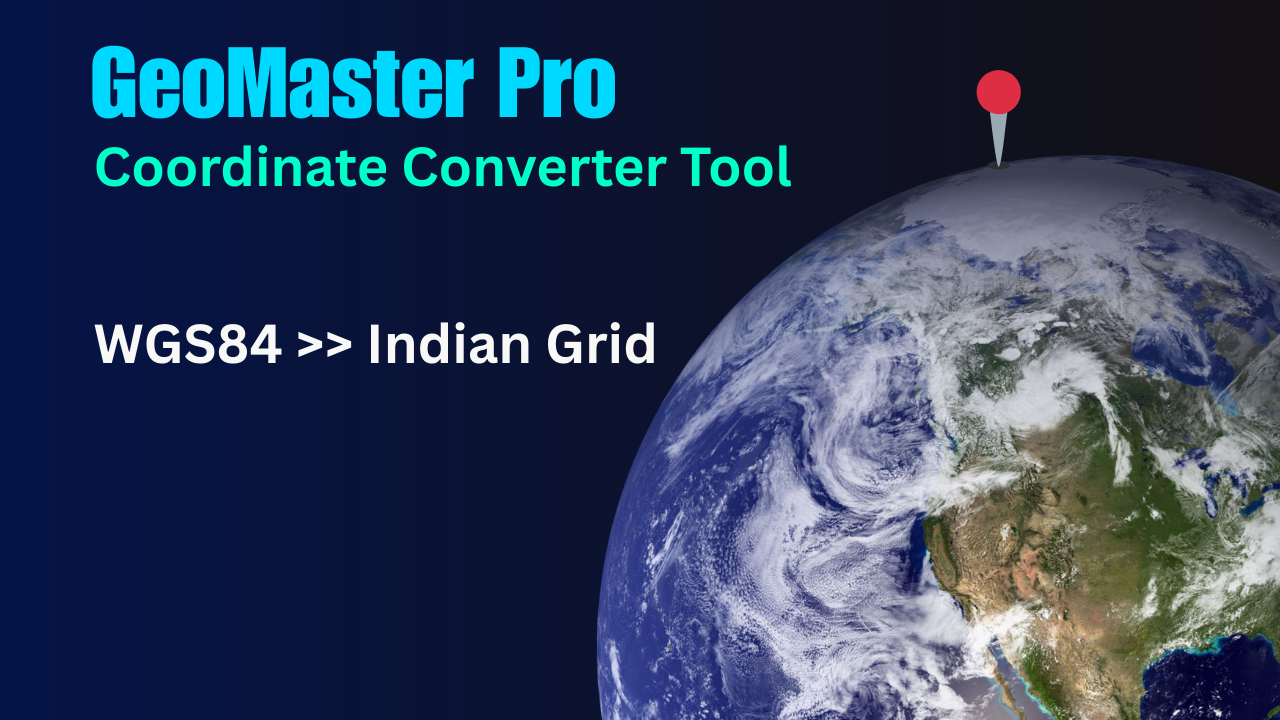
GeoMaster Pro
WGS84 → Indian GridGeoMaster Pro: Coordinate Converter
In the world of geospatial data, accurate and seamless conversion between different coordinate systems is essential for effective mapping, navigation, and analysis. Whether you’re dealing with latitude and longitude (WGS84) or local grid coordinates, GeoMaster Pro is a robust tool that provides a streamlined solution for these complex tasks. This application leverages cutting-edge technologies like CesiumJS and Proj4JS to offer an interactive, intuitive interface for converting geographic coordinates, viewing 3D maps, and much more.
GeoMaster Pro: A Powerful Geospatial Tool for Professionals
GeoMaster Pro is a versatile web-based platform designed for professionals in fields such as geodesy, cartography, surveying, and urban planning. Its primary functionality includes converting coordinates from the WGS84 system (widely used for GPS-based data) to Indian Grid (Everest) or vice versa. This enables users to transform global coordinates into a format that suits local mapping systems, such as India’s Survey of India grid or similar projections.
Built using advanced JavaScript libraries like Proj4JS for projection transformations and CesiumJS for 3D globe visualization, GeoMaster Pro provides a visually stunning and highly interactive platform for geospatial analysis.
Features of GeoMaster Pro
Coordinate System Conversion
WGS84 to Indian Grid (Everest): Input WGS84 latitudes, longitudes, and heights to convert them into the Indian Grid, facilitating local mapping.
Indian Grid (Everest) to WGS84: Convert local grid coordinates (Easting, Northing) back to WGS84 lat/lon, making it easy to compare and cross-reference with global data sources.
User-Friendly Interface
The interface is designed for ease of use, with dedicated panels for input and output. Whether you’re working in WGS84 or Indian Grid, the process is intuitive, requiring minimal technical expertise.
Lat/Lon Inputs: The tool allows you to input coordinates in a familiar format, with degrees, minutes, and seconds for both latitude and longitude.
Height Input: For accurate elevation data, users can enter the height in meters, which is incorporated into both projections.
Dynamic Map Visualization
3D Globe: With CesiumJS, GeoMaster Pro brings your data to life on a 3D globe, allowing you to visualize the coordinates you input and perform detailed mapping and analysis.
2D and Grid Views: Switch seamlessly between 3D and 2D views to analyze data from different perspectives. The 2D map also provides grid overlays for better spatial reference.
Interactive Map Controls
Zoom: Users can zoom in and out of the map using the intuitive controls, adjusting their view to different regions with ease.
Grid Overlays: The grid display can be toggled on or off, allowing users to analyze the projected grid in greater detail or focus solely on the terrain and map imagery.
Zoom and Scroll: Use scroll or mouse actions to adjust the zoom level on the map. GeoMaster Pro provides flexibility for fine-tuning your view for pinpoint accuracy.
Automatic Zone Detection
GeoMaster Pro features automatic detection of the zone within India based on the input lat/lon coordinates. It uses geospatial algorithms to match the coordinates to the appropriate zone and adjusts the conversion parameters accordingly.
This eliminates the need for users to manually select zones, making the tool even more efficient and user-friendly.
Real-Time Output
The output is displayed immediately after conversion, showing the converted coordinates, height, and zone. Additionally, the system detects if the input data is inside India and provides feedback accordingly.
Whether you’re working with lat/lon or Easting/Northing values, the results are clearly shown in real-time, making it easy to analyze the data and visualize it on the map.
Accurate Projection Math
The app uses Proj4JS, a powerful JavaScript library for transforming geographic coordinates. This ensures that the coordinate conversions are precise and adhere to established geospatial standards, such as the Everest datum used for the Indian Grid.
Mobile Optimization
GeoMaster Pro is optimized for mobile devices. With a responsive design, users can access the tool on their smartphones and tablets, making it a portable solution for professionals working in the field.
Map Pinpointing
Once coordinates are entered and processed, GeoMaster Pro places a pin on the map at the exact location. This visual marker helps users easily locate and verify the geospatial data, whether they are working in a local or global context.
Detailed Breakdown of GeoMaster Pro's Interface
1. Input Panel (Left Side)
WGS84 Coordinates: Users can enter latitude and longitude in the familiar DMS (Degrees, Minutes, Seconds) format.
Indian Grid Inputs: Alternatively, users can input Easting, Northing, and height values for the Indian Grid. The tool supports both metric and geographical input styles for a flexible workflow.
Switching Between Modes: A “SWAP” button allows users to easily switch between WGS84 and Indian Grid modes, toggling the visibility of input and output fields dynamically.
2. Output Panel (Right Side)
Grid Output: For Indian Grid inputs, the output shows the converted Easting, Northing, and height in meters, along with the detected zone information.
WGS84 Output: For lat/lon inputs, the output displays the converted latitude, longitude, and height in WGS84 format.
Detected Zone Display: An auto-detect feature identifies the appropriate geospatial zone based on the provided coordinates.
3. Action Button
Convert & Locate on Map: Once the user inputs their coordinates, the “Convert & Locate on Map” button triggers the conversion process and updates the map with the new location, pinning the exact position.
GeoMaster Pro: How It Works
Step 1: Input Your Coordinates
Begin by entering your coordinates in either WGS84 format (latitude, longitude, height) or Indian Grid (Easting, Northing, and height).
The application provides input fields for each data point, making it easy to enter values directly.
Step 2: Choose Your Mode
Use the SWAP button to switch between WGS84 and Indian Grid formats. This button ensures that you can work seamlessly with either projection system, without the need for manual adjustments.
Step 3: View the Results
Once you’ve entered the data, click Convert & Locate on Map. The app immediately processes the data, performs the coordinate transformation, and provides the output in the selected format.
The result is displayed on the map, showing your converted coordinates on a 3D globe. You can toggle between 2D and 3D views for optimal analysis.
Step 4: Visualize Your Data
The CesiumJS viewer allows you to see your data in real-time, providing a powerful and immersive experience. You can zoom, pan, and rotate the map to analyze your data from any angle.
The map updates automatically based on the coordinates entered, allowing users to visualize their location instantly.
GeoMaster Pro Use Cases
Surveying and Mapping
Surveyors can use GeoMaster Pro to convert WGS84 GPS coordinates to local grid systems (such as Indian Grid) for accurate mapping and data analysis in land development projects.
Urban Planning
Urban planners can visualize geographic data in both global and local coordinate systems to design infrastructure projects and urban developments.
Geospatial Research
Researchers working with satellite imagery or geospatial data can use GeoMaster Pro for coordinate conversion and analysis, ensuring that their data aligns with regional mapping standards.
Field Work
Professionals in the field can use the mobile-optimized version of GeoMaster Pro to quickly convert and visualize coordinates in remote locations, improving their workflow and decision-making.
FAQ : Coordinate Converter
1. What is GeoMaster Pro?
GeoMaster Pro is an advanced coordinate conversion tool that allows users to easily convert between WGS84 and Indian Grid coordinate systems. It provides real-time geospatial data transformation, visualizations on a 3D map, and precise geographic positioning for professionals in GIS, land surveying, and mapping.
2. What coordinate systems does GeoMaster Pro support?
GeoMaster Pro supports the conversion between the WGS84 (World Geodetic System) and Indian Grid systems, specifically the Everest projection used in India.
3. How do I convert coordinates using GeoMaster Pro?
To convert coordinates, simply input your WGS84 latitude, longitude, and height into the tool’s input fields. The tool will automatically convert and display the corresponding Indian Grid coordinates (Easting and Northing). Similarly, you can also convert Indian Grid coordinates back to WGS84 by selecting the appropriate mode.
4. What is the difference between WGS84 and Indian Grid?
WGS84 is a global geodetic coordinate system used for GPS and navigation. The Indian Grid, based on the Everest datum, is a coordinate system specifically used in India for more accurate geospatial measurements within the country.
5. Can GeoMaster Pro visualize the results on a map?
Yes! After performing the conversion, GeoMaster Pro provides an interactive 3D map using CesiumJS, where the converted coordinates are plotted, and users can zoom in, zoom out, and switch between 2D and 3D views.
6. What are the input formats supported by GeoMaster Pro?
GeoMaster Pro accepts latitude and longitude inputs in degrees, minutes, and seconds (DMS) format for WGS84 coordinates. For Indian Grid, you can input Easting, Northing, and height (MSL) values, and select the relevant zone.
7. How can I detect the zone for Indian Grid conversion?
GeoMaster Pro automatically detects the zone based on the input WGS84 coordinates (latitude and longitude). If the coordinates are within India, it will automatically select the appropriate zone (Zone 1 to Zone 5). If the coordinates fall outside India, it will notify you that the location is outside the supported region.
8. Does GeoMaster Pro support batch conversions?
Yes, GeoMaster Pro supports batch conversions. You can upload a CSV file with multiple WGS84 coordinates, and the tool will convert all of them to the Indian Grid or vice versa. The results can be downloaded in CSV or Excel format.
9. Is GeoMaster Pro free to use?
GeoMaster Pro offers both free and premium versions. The free version allows basic coordinate conversion features, while the premium version offers advanced features such as batch conversions, historical coordinate transformations, and additional map visualizations.
10. How accurate are the conversions in GeoMaster Pro?
GeoMaster Pro provides highly accurate conversions based on the latest geospatial standards. The tool uses precise mathematical algorithms to ensure that the converted coordinates are accurate to the level of centimeters, making it suitable for professional use in land surveying and mapping.
11. Can I customize the map visualization?
Yes! The 3D map visualization provided by GeoMaster Pro is highly customizable. You can change the map layers, zoom levels, and switch between different map projections. Additionally, you can add markers, lines, or custom shapes to the map for better visualization.
12. What should I do if I encounter an error during conversion?
If you encounter any issues during the conversion, ensure that the input coordinates are correctly formatted and within the supported range. If the issue persists, you can contact our support team via the support section of the website, and they will assist you with troubleshooting.
13. Is GeoMaster Pro available as a mobile app?
Currently, GeoMaster Pro is available only as a web-based application. However, it is fully responsive and works seamlessly across various devices, including smartphones, tablets, and desktops.
14. How can I contact customer support?
You can reach our customer support team by visiting the “Contact Us” section on the GeoMaster Pro website. We also provide an email support option for any technical issues or questions related to the tool.
15. Can I integrate GeoMaster Pro into my own application?
Yes, GeoMaster Pro offers an API for businesses and developers who want to integrate coordinate conversion features into their own applications. You can contact us to request API access and documentation.
16. Does GeoMaster Pro store my data?
GeoMaster Pro values user privacy and does not store any personal data or coordinates after the conversion process is complete. All data is processed locally, and we adhere to strict privacy policies to ensure that your data is not shared with third parties.
17. What browsers are supported by GeoMaster Pro?
GeoMaster Pro supports all modern web browsers, including Google Chrome, Mozilla Firefox, Safari, and Microsoft Edge. For the best experience, it is recommended to use the latest version of your preferred browser.
18. How do I upgrade to the premium version?
To upgrade to the premium version, simply visit the “Pricing” section on the GeoMaster Pro website and select the plan that suits your needs. You can pay securely using various payment methods, including credit cards and PayPal.
19. Can I share my converted coordinates with others?
Yes, after performing the conversion, you can share the coordinates by copying the output data or by exporting the results to CSV or Excel format. Additionally, you can share a link to the map view for others to see the results.
20. Does GeoMaster Pro support international coordinates?
While GeoMaster Pro specializes in WGS84 and Indian Grid conversions, it can also support conversions between other geodetic systems used internationally. Please check the tool’s documentation for details on supported coordinate systems.
Conclusion: Coordinate Converter
GeoMaster Pro is a revolutionary tool that combines precision with usability, allowing users to seamlessly convert geographic coordinates between WGS84 and Indian Grid formats. With its advanced features like real-time output, 3D mapping, automatic zone detection, and interactive map controls, it empowers geospatial professionals to work efficiently and accurately. Whether you’re a surveyor, urban planner, or geospatial researcher, GeoMaster Pro provides everything you need to manage and analyze geospatial data effortlessly.
Search Keywords
coordinate conversion, WGS84 to Indian Grid, Indian Grid, Everest projection, geospatial data, GIS tool, map visualization, 3D map, CesiumJS, coordinate transformation, geodetic systems, batch conversion, coordinate conversion tool, land surveying, WGS84 coordinates, Indian Grid coordinates, GPS conversion, geospatial tool, map coordinates, location conversion, geographic positioning, GPS tool, map viewer, map conversion, zone detection, coordinate projection, longitude latitude conversion, Indian Grid mapping
Our Other Online Calculators
You Can Also Check Out Our Other Free Online Tools Like Age Calculator, Percentage Calculator, Body Fat Calculator, And More.”
Are You Searching For A Government Job In India
You Can Also Check Our Job Alert, Admit Card, And Sarkari Result Updates On ExamJobAlert.com – Your Trusted Source For Government Job Notifications.